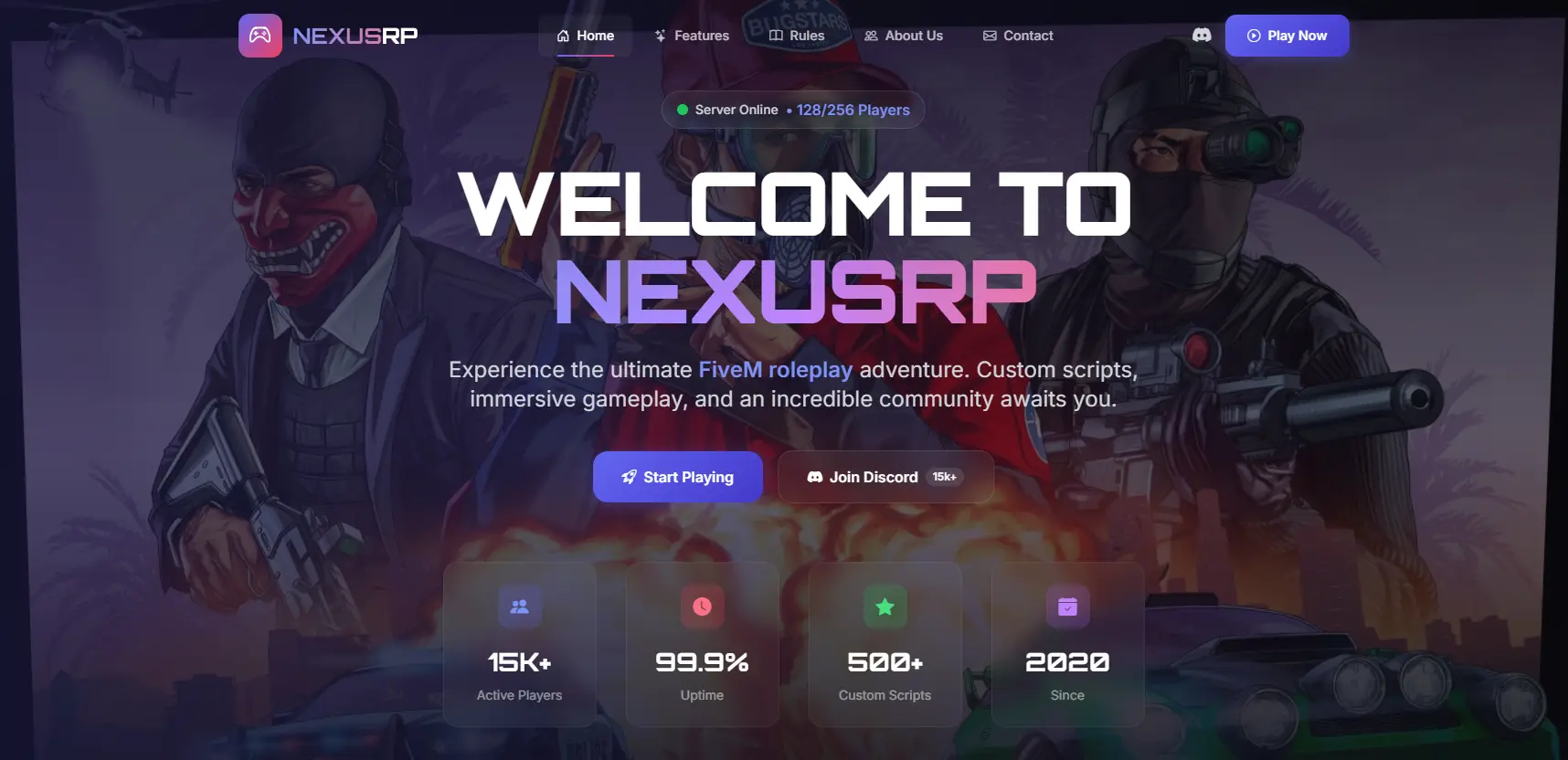
# NexusRP - Premium FiveM Server CMS


## Overview
NexusRP is a full-featured CMS for FiveM roleplay servers. Built with PHP 8+, MySQL/PDO, and TailwindCSS, it includes a dynamic application system with admin panel, modular includes, and database-driven content management. This include [NexusRP | Ultimate FiveM Server Website Template
](https://codestrike.store/resource/nexusrp-ultimate-fivem-server-website-template) + Applications function with Admin Panel.
## Features
- **6 Frontend Pages** — Home, Rules, About Us, Contact, Changelogs, Applications
- **Admin Panel** — Secure dashboard at `/admin/` with login, session management
- **Dynamic Application System** — Create unlimited application categories with custom form fields
- **Application Form Builder** — Text, email, number, URL, textarea, select/dropdown fields per category
- **Submission Manager** — Review, accept/reject, filter submissions from the admin panel
- **Config-Driven** — Single `config.php` for site name, URL, DB, admin credentials
- **Modular Includes** — Shared navigation, footer, database connection, helper functions
- **Anti-Spam** — 1 submission per IP per application category
- **CSRF Protection** — All admin forms protected against cross-site request forgery
- **XSS Protection** — Output escaping on all user-generated content
- **PDO Prepared Statements** — No SQL injection
- **Session Security** — Regenerated session IDs, cookie cleanup on logout
- **Dark Theme** — Premium design with TailwindCSS, Bootstrap Icons, AOS animations
## Requirements
- PHP 8.0+
- MySQL 5.7+ / MariaDB 10.3+
- Web server (Apache / Nginx / IIS)
- No build process required (CDN dependencies)
## Quick Start
### 1. Database Setup
Upload `nexusrp.sql` to phpMyAdmin or run via MySQL CLI. This creates all tables and seeds sample data.
### 2. Configure
Edit `config.php`:
```php
define('SITE_NAME', 'Your Server Name');
define('SITE_URL', 'https://yourserver.com/');
define('DB_HOST', 'localhost');
define('DB_NAME', 'nexusrp');
define('DB_USER', 'root');
define('DB_PASS', 'yourpassword');
define('ADMIN_USERNAME', 'admin');
define('ADMIN_PASSWORD', 'admin123');
```
### 3. Deploy
Upload all files to your web server's public directory. Access `/admin/` to manage content.
### 4. Change Admin Password
Login at `/admin/login.php` with default credentials, then edit `config.php` to change `ADMIN_PASSWORD`.
## File Structure
```
nexusrp/
├── config.php # Site name, URL, DB, admin credentials
├── nexusrp.sql # Database schema + seed data
├── index.php # Homepage
├── about.php # About Us
├── applications.php # Dynamic job applications
├── changelogs.php # Server updates
├── contact.php # Contact page
├── rules.php # Server rules
├── includes/
│ ├── navigation.php # Shared navbar (auto active state)
│ ├── footer.php # Shared footer
│ ├── database.php # PDO connection singleton
│ ├── functions.php # Helpers (CSRF, escaping, redirects)
│ └── submit_application.php # AJAX form submission handler
├── admin/
│ ├── includes/
│ │ ├── auth.php # Authentication & session management
│ │ └── header.php # Admin layout & sidebar
│ ├── index.php # Redirect to dashboard
│ ├── login.php # Admin login
│ ├── logout.php # Admin logout
│ ├── dashboard.php # Stats overview
│ ├── applications.php # CRUD application categories
│ ├── fields.php # Manage form fields per category
│ └── submissions.php # View & manage submissions
├── assets/
│ ├── css/style.css # Main stylesheet
│ ├── js/main.js # JavaScript functionality
│ └── img/hero.jpeg # Hero background
└── docs/
├── README.md # This file
└── docs.html # Full documentation
```
## Database Tables
| Table | Purpose |
|-------|---------|
| `application_categories` | Application entries (name, icon, status, description, requirements) |
| `application_fields` | Custom form fields per category (text, email, select, textarea, etc.) |
| `application_submissions` | Submitted applications (JSON data, IP tracking, status) |
| `admin_users` | Additional admin users |
## Admin Panel
Access at `/admin/` — 7-day persistent session, CSRF-protected, responsive design.
**Dashboard** — category count, submission stats, recent activity
**Applications** — create/edit/delete application categories with Bootstrap icons, open/limited/closed status
**Form Fields** — per-category field builder: add text, email, number, URL, textarea, select fields; reorder; mark required
**Submissions** — filter by category/status, view full answers, change status (pending/reviewed/accepted/rejected), delete
## Application System
Applications load dynamically from the database. Each category displays as a card with:
- Bootstrap icon and name
- Open / Limited Spots / Closed status badge
- Description and requirements list
- "Apply Now" button → modal with custom form fields
When a user submits, their IP is recorded. Duplicate submissions to the same category are blocked.
## Customization
### Change Site Name
Edit `config.php` → `SITE_NAME` — updated everywhere automatically.
### Change Colors
Modify the Tailwind config in each page's `<script>` block and `style.css` CSS variables.
### Add Pages
Create a new `.php` file in root, set `$current_page`, include `config.php`, `navigation.php`, and `footer.php`.
### Navigation Links
Edit `includes/navigation.php` → `$nav_links` array.
## Security Notes
- Change `ADMIN_PASSWORD` in `config.php` before production
- Set `session_set_cookie_params` secure flag to `true` when using HTTPS
- Consider using `password_hash()` for admin credentials in production
- All database queries use PDO prepared statements
- All user-facing output uses `htmlspecialchars()` via `e()` helper
- All POST forms include CSRF tokens
## License & Copyright
**2026 illusion @ CodeStrike.STORE — All Rights Reserved**
- Use for your personal FiveM server website
- Modify for your own use
- Do not redistribute, resell, or sublicense
- Do not remove copyright notices
- Do not claim as your own work
**Purchase:** https://codestrike.store/resources
---
Made with by illusion @ CodeStrike.STORE