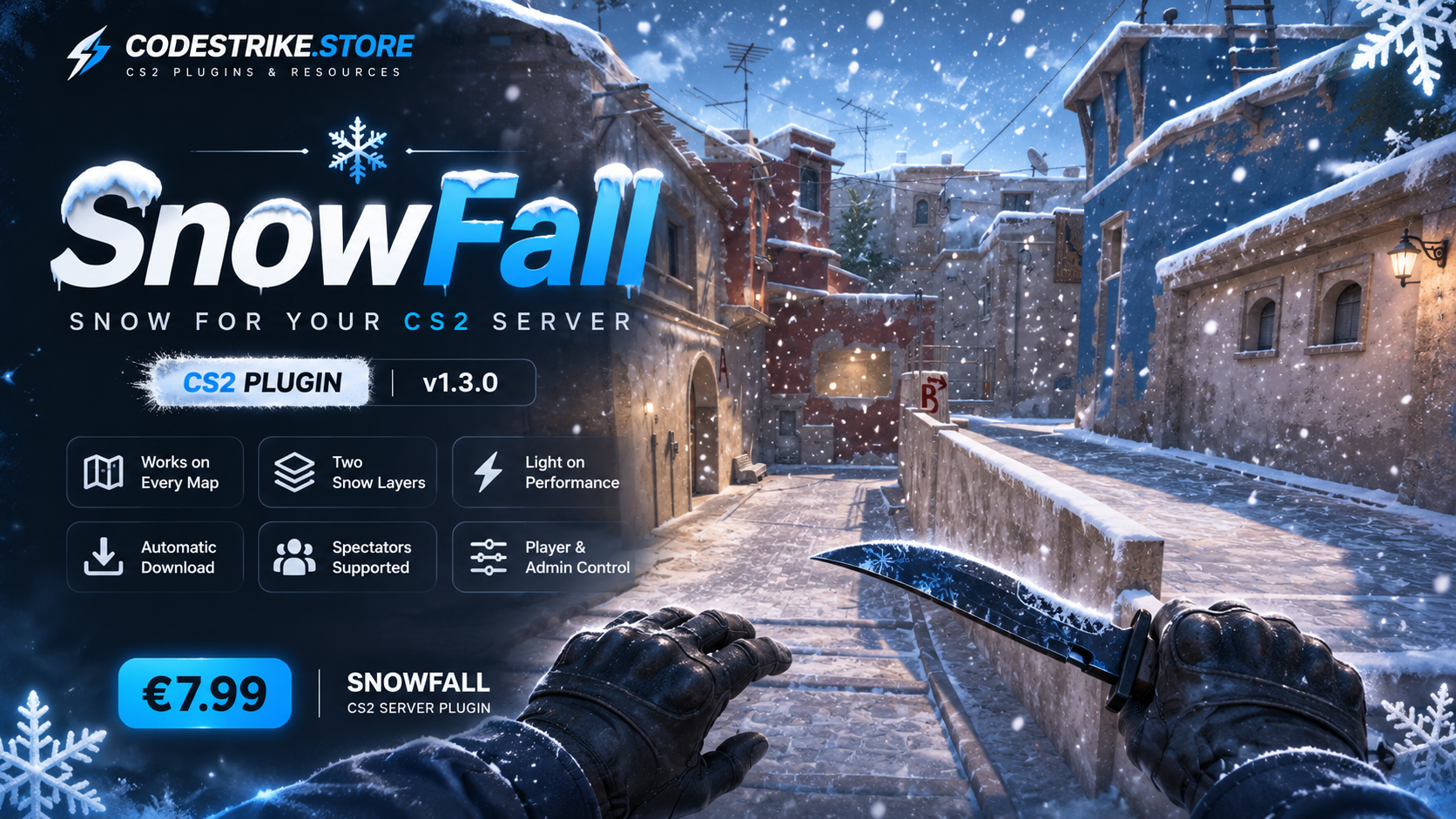
# ❄️ SnowFall: Snow for your CS2 server
**Version 1.3.0** · CounterStrikeSharp plugin · by illusion @ CodeStrike
Turn any map into a winter map. Snow falls from the sky all around every player, on every map,
with no map edits and nothing for your players to install by hand.
---
## ✨ Features
- **Snow on every map**: works on de_dust2, mirage, inferno, workshop maps, anything.
- **Two snow layers**: dense flakes close to the player plus lighter snow up to ~60 m away, so it
looks like it snows across the whole map.
- **Light on performance**: every player only sees their own snow, so 30 players cost the same as
1. Snowflakes never pile up: each one disappears after a few seconds.
- **Automatic download**: players get the snow automatically when they join (through
MultiAddonManager), with no manual download.
- **Spectators too**: dead players and spectators see snow around the player they are watching.
- **Player choice**: anyone can turn the snow off just for themselves with `!nosnow` (for weak PCs).
- **Admin switch**: `!snow` turns it on/off for the whole server.
- **Clean**: snow is removed on disconnect, round restart and map change, so no leftover entities
and no "too many entities" problems.
---
## 📋 Requirements
| What | Where to get it |
|---|---|
| **Metamod:Source** (CS2 build) | metamodsource.net |
| **CounterStrikeSharp** (with runtime, v1.0.376 or newer) | github.com/roflmuffin/CounterStrikeSharp |
| **MultiAddonManager** | github.com/Source2ZE/MultiAddonManager |
If your server already runs other CounterStrikeSharp plugins, you only need to check
MultiAddonManager.
---
## 🚀 Installation (5 minutes)
### Step 1: Install the plugin
1. Open the archive.
2. Copy the **`SnowFall`** folder into your server at:
```
game/csgo/addons/counterstrikesharp/plugins/
```
so you end up with `.../plugins/SnowFall/SnowFall.dll`.
### Step 2: Load the snow effect (pick ONE option)
The snow itself (what players see) is a small workshop addon (~3 KB). Players download it
automatically when they join.
#### Option A: Use our ready workshop addon (easiest, recommended)
Add the workshop ID **`3837941466`** to MultiAddonManager. Open:
```
game/csgo/cfg/multiaddonmanager/multiaddonmanager.cfg
```
and add the ID to `mm_extra_addons` (separate several IDs with commas):
```
mm_extra_addons "3837941466"
```
If you already have other addons there, it looks like this: `mm_extra_addons "111111111,3837941466"`.
#### Option B: Use your own workshop addon
For people who already publish their own addon:
1. Copy the two files from the archive folder `workshop-addon/particles/nox/` into your addon at
`Counter-Strike Global Offensive/game/csgo_addons/<your_addon>/particles/nox/`.
2. Publish/update your addon with the **CS2 Workshop Manager** (CS2 Workshop Tools).
3. Add your addon's workshop ID to `mm_extra_addons` as shown in Option A.
### Step 3: Restart
Restart the server (or change the map). Done, it is snowing! ❄️
> **Tip:** the first time, the server downloads the addon. If you don't see snow right away,
> type `mm_download_addon 3837941466` in the server console and change the map once.
---
## 🎮 Commands
| Command | Who | What it does |
|---|---|---|
| `!nosnow` | Every player | Turns the snow off just for you. Type it again to bring it back. |
| `!snow` | Admins (`@css/generic`) | Turns the snow on/off for the whole server (until the map changes). |
Commands also work with `/` (silent) and in the console as `css_nosnow` / `css_snow`.
---
## ⚙️ Configuration
The config is created automatically on the first start:
```
game/csgo/addons/counterstrikesharp/configs/plugins/SnowFall/SnowFall.json
```
| Setting | Default | What it does |
|---|---|---|
| `Enabled` | `true` | Snow is on when the server starts. |
| `ParticleEffects` | near + far layer | The snow layers. Remove `particles/nox/snowfall_far.vpcf` for lighter snow (only around the player). |
| `HeightOffset` | `0` | Moves the snow up/down (-200 to 500). Normally leave at 0. |
| `SnowForSpectators` | `true` | Snow for dead players and spectators. |
| `AllowPlayerToggle` | `true` | Allows players to use `!nosnow`. |
| `AdminFlag` | `@css/generic` | Permission needed for `!snow`. |
| `ChatPrefix` | `[Snow]` | Prefix of the chat messages. |
Example:
```json
{
"Enabled": true,
"ParticleEffects": [
"particles/nox/snowfall.vpcf",
"particles/nox/snowfall_far.vpcf"
],
"HeightOffset": 0,
"SnowForSpectators": true,
"AllowPlayerToggle": true,
"AdminFlag": "@css/generic",
"ChatPrefix": " \u0004[Snow]\u0001",
"ConfigVersion": 3
}
```
After changing the config, change the map (or restart the server).
---
## ⚡ Performance
- **Server**: only 2 small entities per player, no per-snowflake work and no extra network traffic.
- **Players**: a fixed amount of tiny snow sprites (the lightest effect type in the game). The amount
never grows, no matter how many players or how long the map runs.
- Players on very weak PCs can use `!nosnow`.
---
## ❓ FAQ / Troubleshooting
**I don't see any snow.**
1. Check that the plugin is loaded: type `css_plugins list` in the server console and look for
**SnowFall**.
2. Check that `3837941466` (or your own addon ID) is in `mm_extra_addons`.
3. Type `mm_download_addon 3837941466` in the server console and change the map.
4. On your own PC: close CS2 and in Steam open the workshop item **3837941466** and click
**Unsubscribe**, then **Subscribe** again, so Steam downloads the newest version.
**Does it snow inside buildings?**
Some snow can fall indoors: the snowflakes don't collide with the world. Players can turn it off
with `!nosnow` if it bothers them.
**Does the snow pile up on the ground?**
No, the snow is visual only.
**Can I turn it on only for the holidays?**
Yes. Set `"Enabled": false` in the config, or simply remove the plugin after the holidays. Admins
can also switch it live with `!snow`.
**Will it conflict with other plugins?**
No. SnowFall only creates its own snow effects and doesn't change players, weapons or the map.
It works together with ChristmasHats, VIP, skin plugins etc.
---
## 📝 Changelog
**1.3.0**
- New far snow layer: snow up to ~60 m away, so it snows across the whole visible map.
**1.2.0**
- Snow falls naturally (gravity + slight wind), smaller realistic snowflakes.
**1.0.0**
- First release.
---
Need help? Contact us through the website where you bought the plugin.